> For the complete documentation index, see [llms.txt](https://docs-jmapserver-lima.k2geospatial.com/llms.txt). Markdown versions of documentation pages are available by appending `.md` to page URLs; this page is available as [Markdown](https://docs-jmapserver-lima.k2geospatial.com/e/extensions/documents/documents-for-jmap-ng/graphical-interface.md).
# Graphical Interface
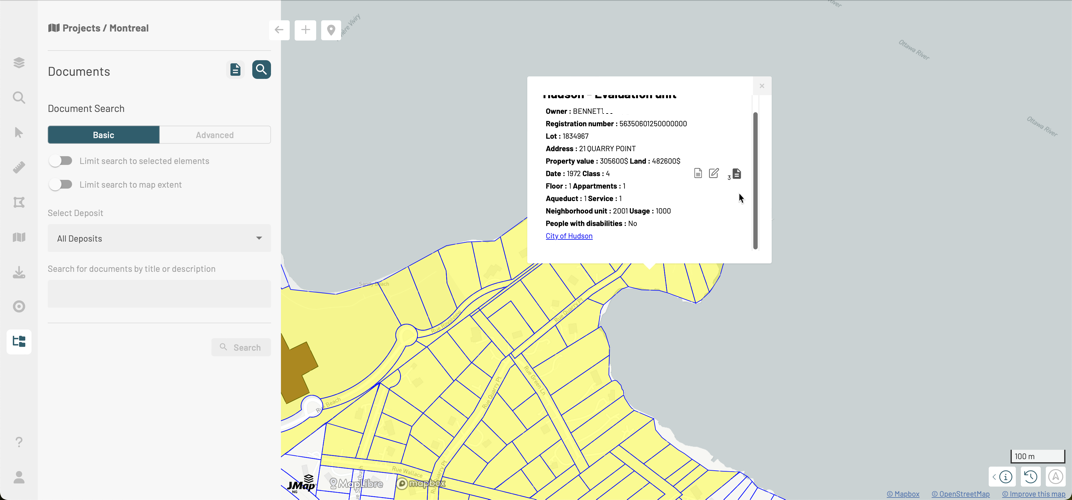
The JMap Documents GUI for JMap NG is composed by the **Documents** panel. This is accessible through two ways:
* The icon in the JMap NG sidebar.
* The icon  in the tooltip of the map elements to which documents are associated. In this case, the panel displays the **Show selected documents** section.
The **Documents** panel has two sections:
* Show selected documents
* Perform searches
The [Searching for Documents](/e/extensions/documents/documents-for-jmap-ng/searching-for-documents.md) section allows you to search for documents through different approaches.
The [Showing Selected Documents](/e/extensions/documents/documents-for-jmap-ng/showing-selected-documents.md) section presents the documents associated with one or more map elements.
 in the JMap NG sidebar.
* The icon  in the tooltip of the map elements to which documents are associated. In this case, the panel displays the **Show selected documents** section.
The **Documents** panel has two sections:
*
in the JMap NG sidebar.
* The icon  in the tooltip of the map elements to which documents are associated. In this case, the panel displays the **Show selected documents** section.
The **Documents** panel has two sections:
*  Show selected documents
*
Show selected documents
*  Perform searches
The [Searching for Documents](/e/extensions/documents/documents-for-jmap-ng/searching-for-documents.md) section allows you to search for documents through different approaches.
The [Showing Selected Documents](/e/extensions/documents/documents-for-jmap-ng/showing-selected-documents.md) section presents the documents associated with one or more map elements.
Perform searches
The [Searching for Documents](/e/extensions/documents/documents-for-jmap-ng/searching-for-documents.md) section allows you to search for documents through different approaches.
The [Showing Selected Documents](/e/extensions/documents/documents-for-jmap-ng/showing-selected-documents.md) section presents the documents associated with one or more map elements.